“I have no idea how this app can help me .”
Habit building app
Users didn't understand how the app would help them eat healthier?

LUMOSTEP AI-POWERED FOOD GUIDANCE
An AI food companion that helps busy vegetarian professionals make small, achievable improvements to the meals they already eat.
V1
Habit building app
Found the wrong problem
V2
WhatsApp AI MVP
Found the right behavior
V3
AI-native mobile concept
Translated MVP learnings into an interface.
V1-HABIT BUILDING APP
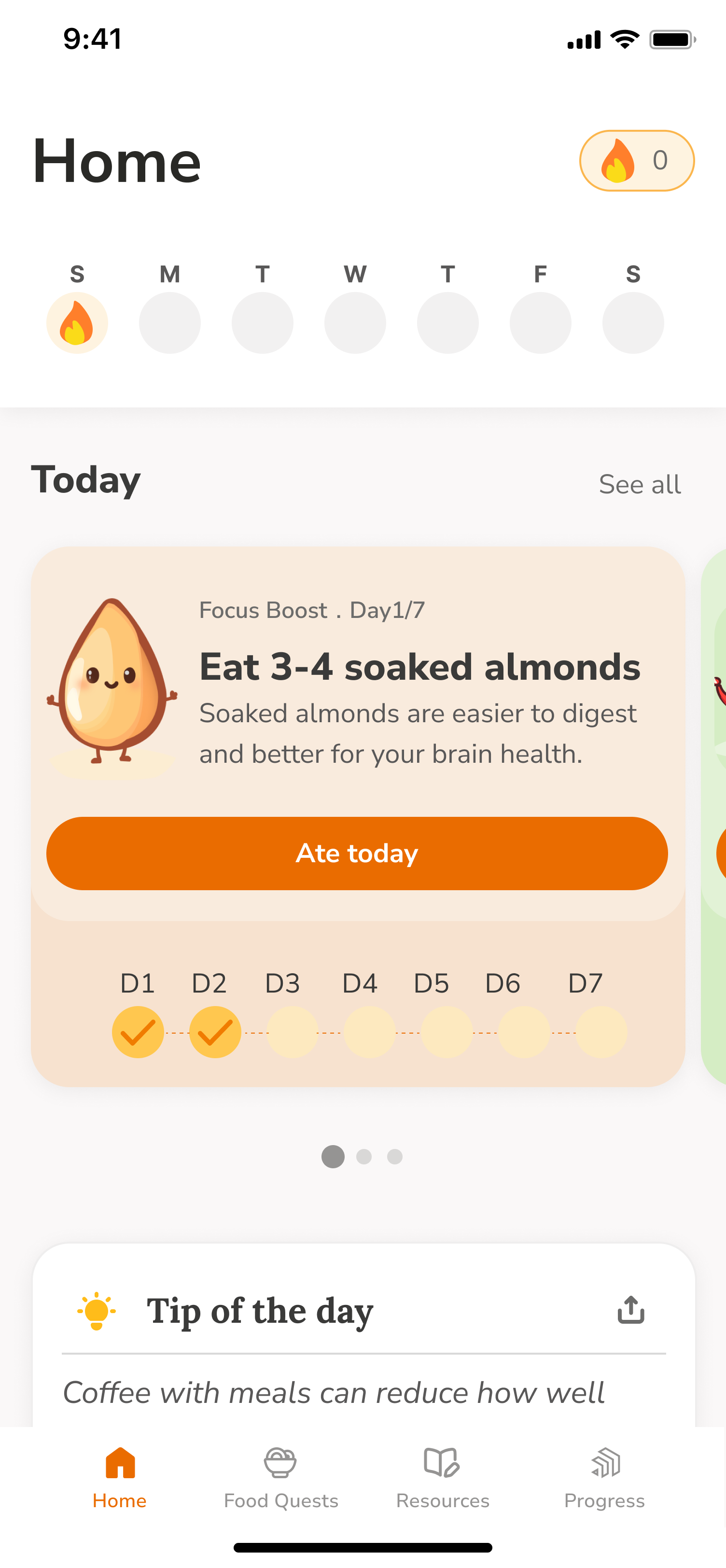
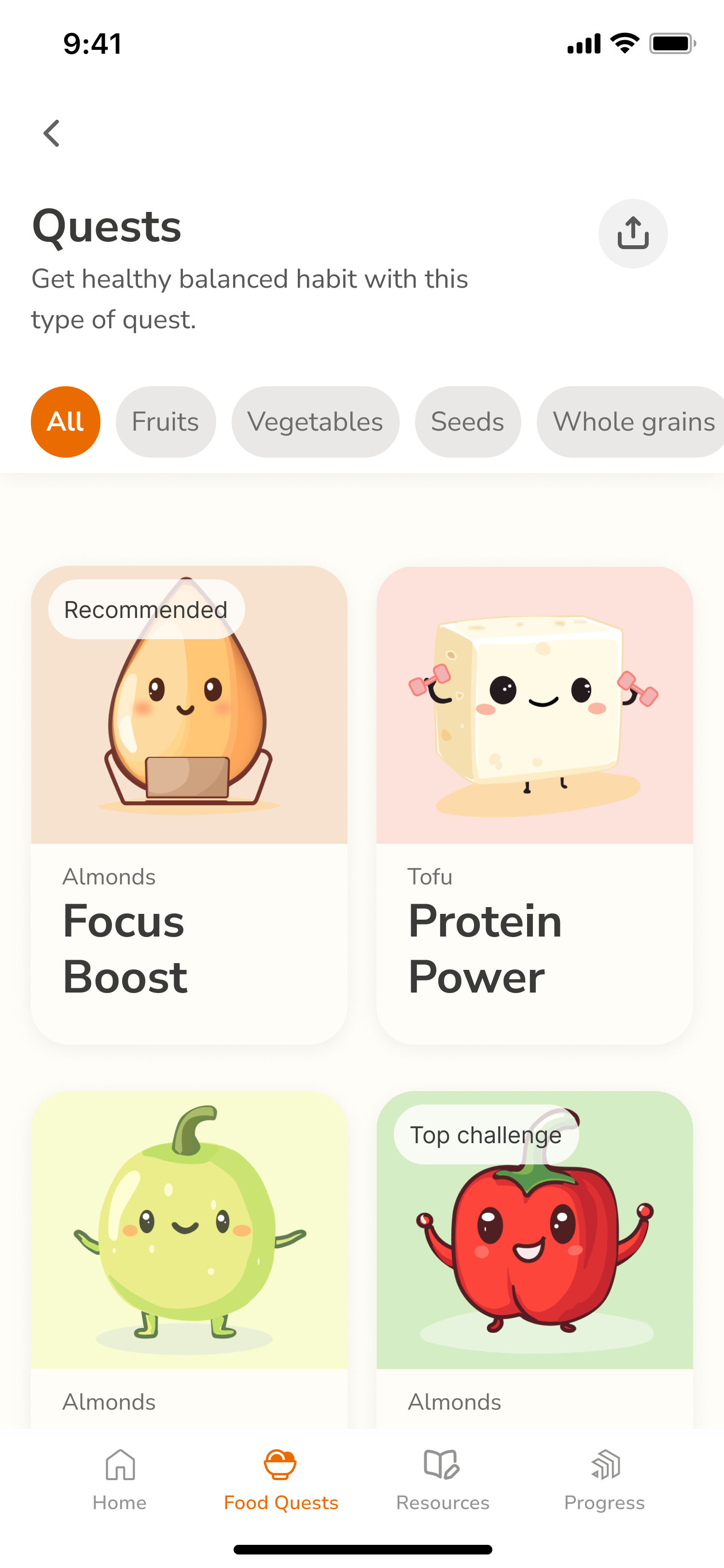
I designed LumoStep around food education, small goals and weekly plans. It encouraged healthier habits without accounting for the circumstances that shape people's meals.
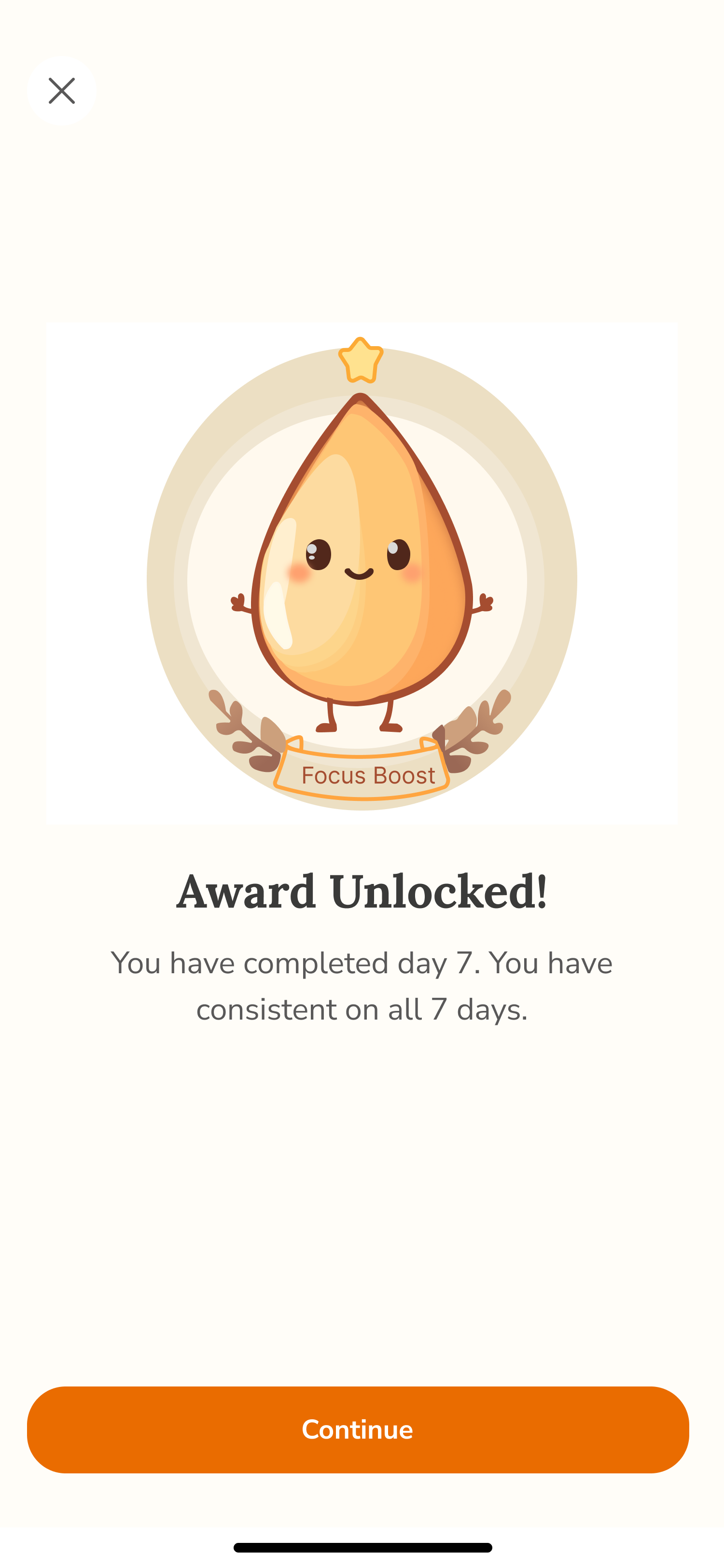
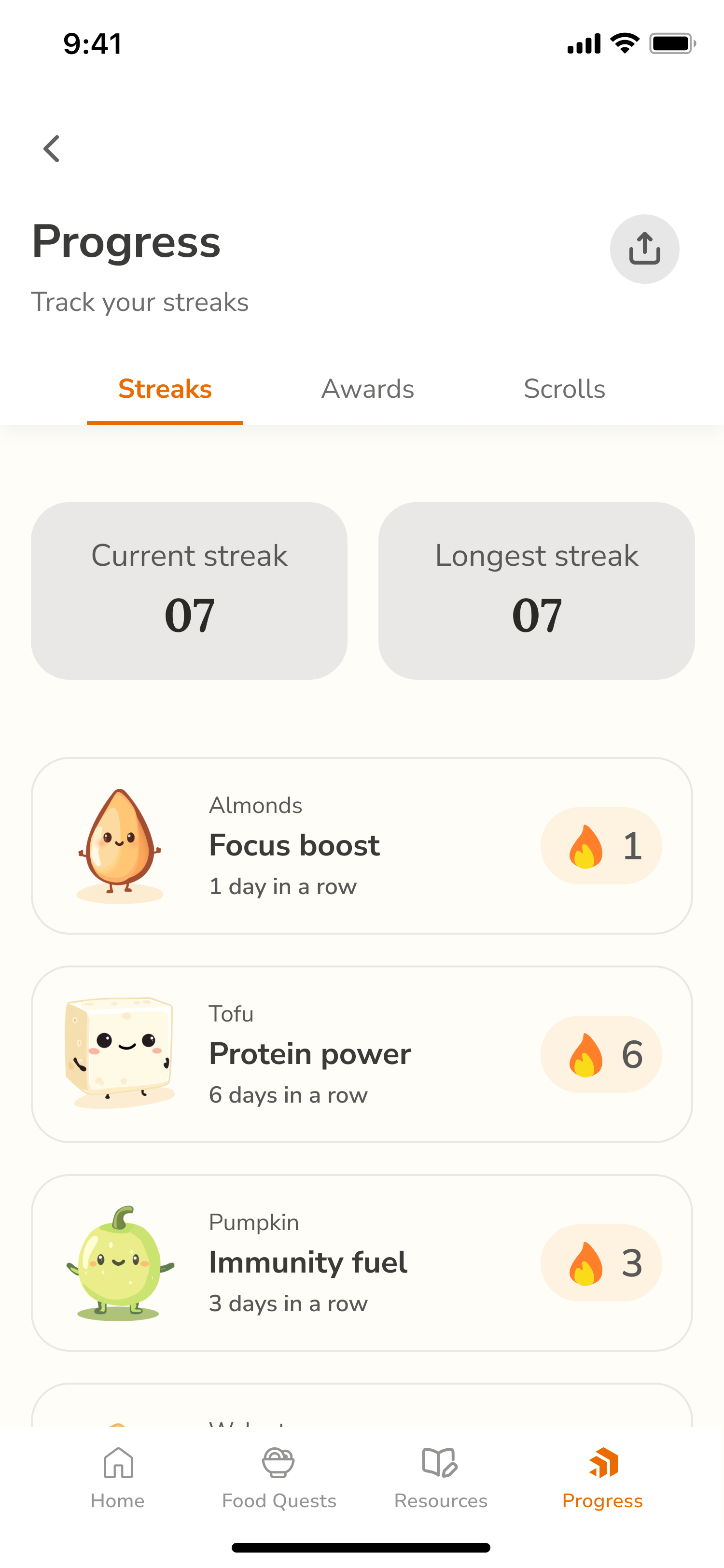
User testing surfaced three problems.
“I have no idea how this app can help me .”
Users didn't understand how the app would help them eat healthier?
“How can I get my questions answered?”
They wanted to ask questions about meals and recipes.
“My family decides the food that we eat, not me”
Changing food choices often meant convincing the entire household.
CHALLENGE
How might I help people make healthier choices within the meals and routines they already have?
V2-WHATSAPP AI MVP
To test whether personalized guidance could fit into existing food routines, I built a working WhatsApp AI MVP in one week, focusing on Lumo's behavior before designing a new interface.
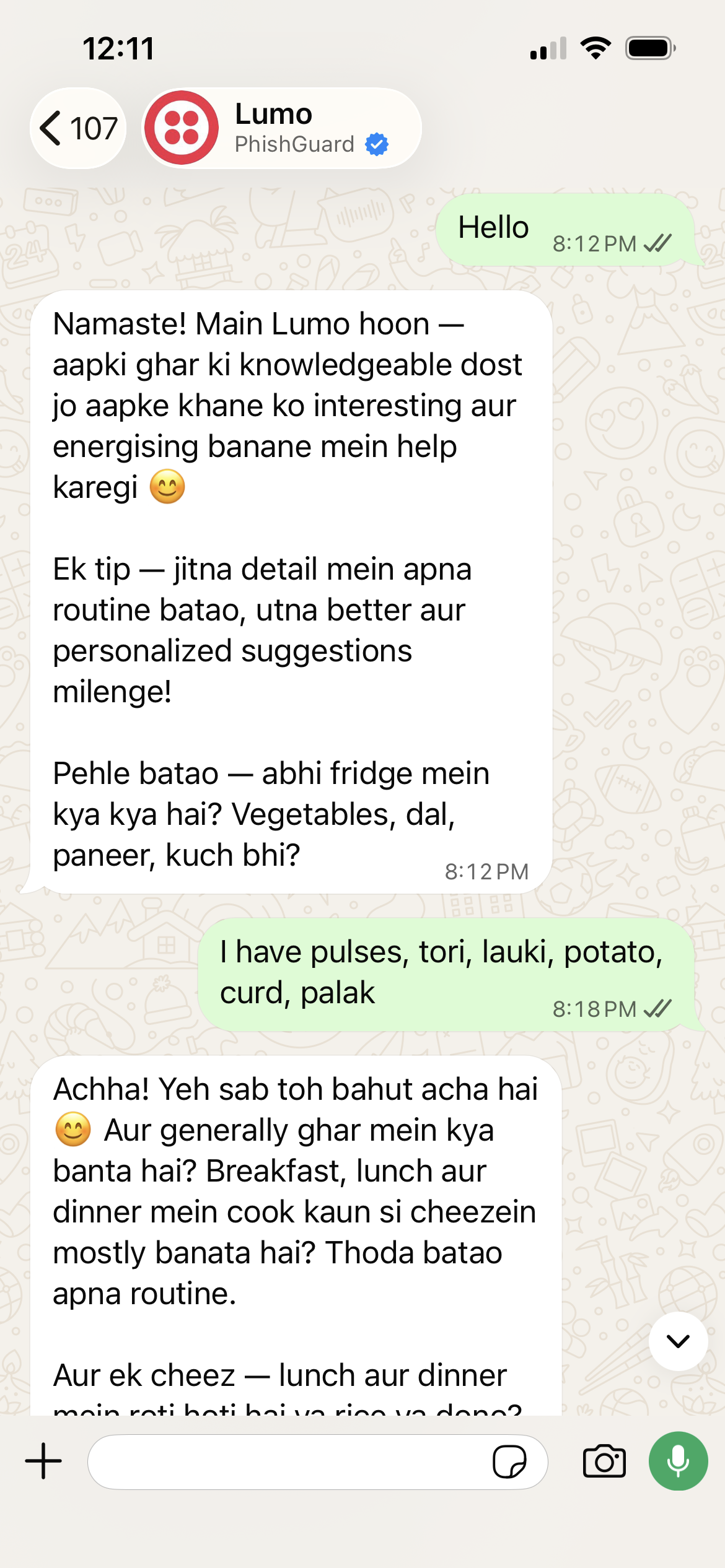
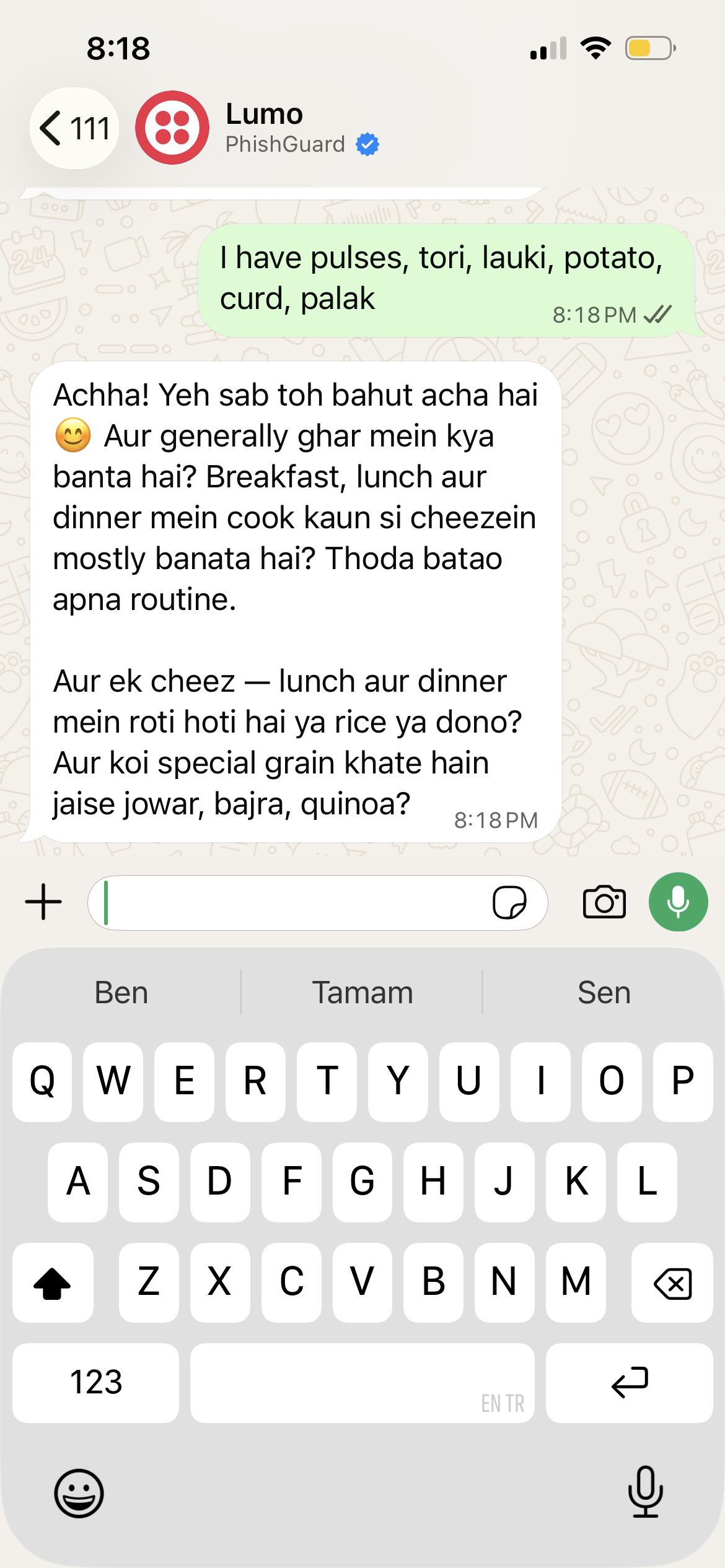
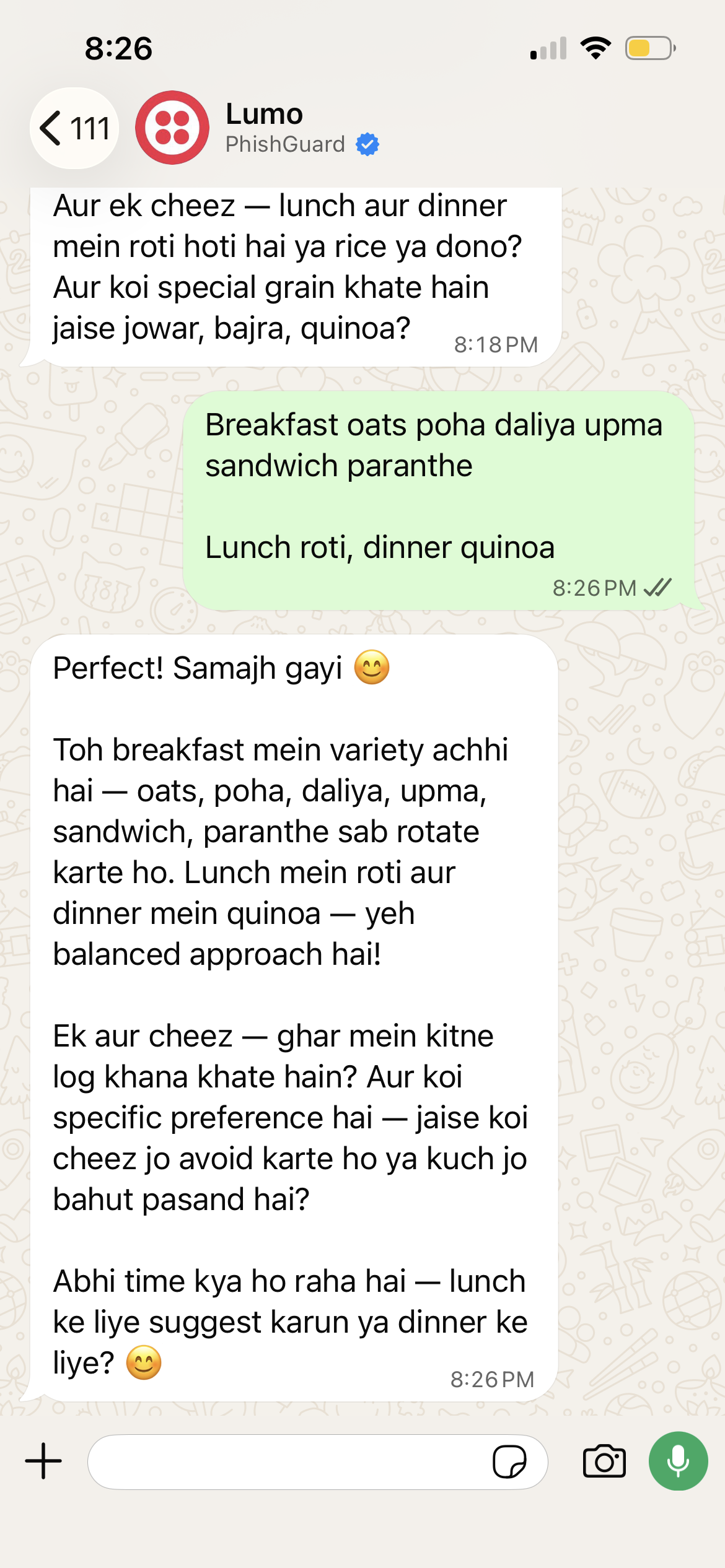
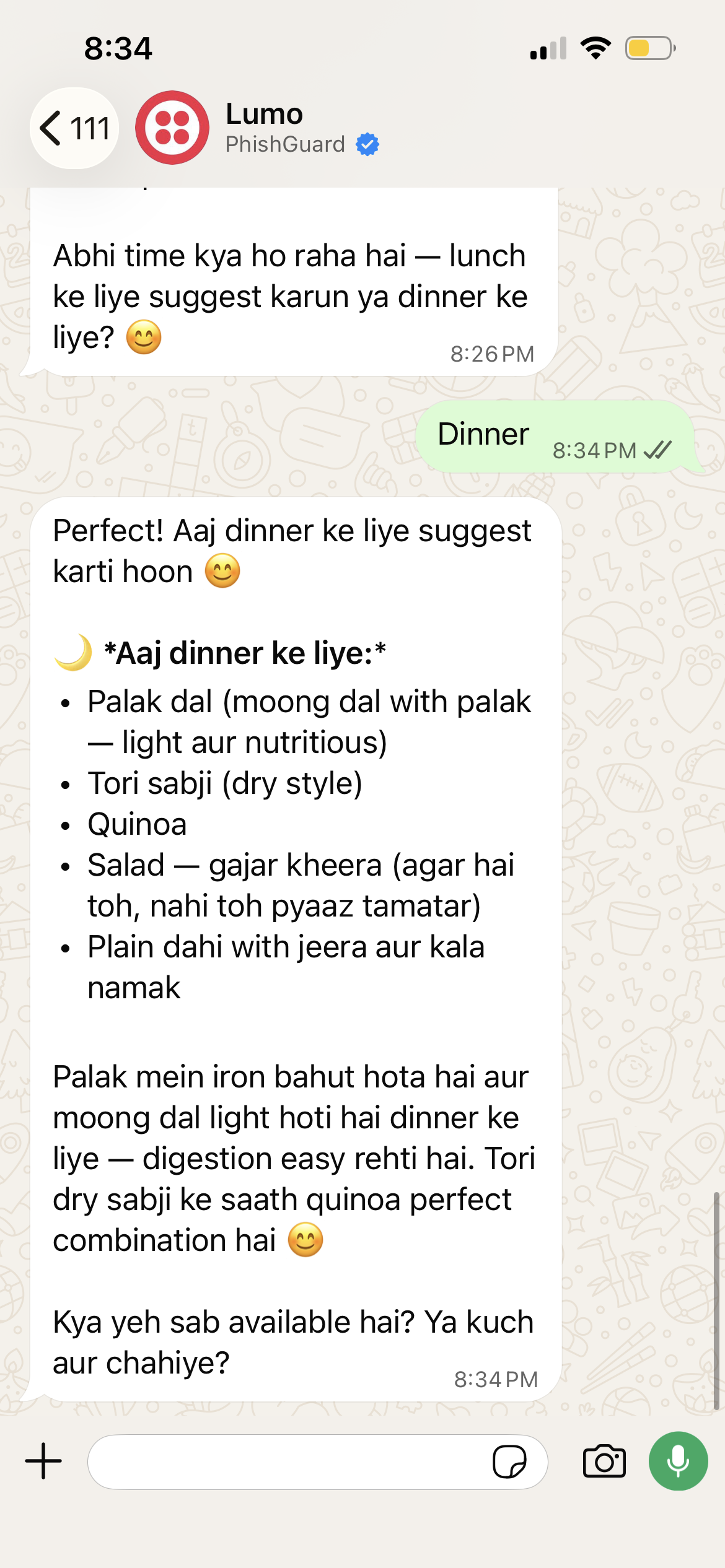
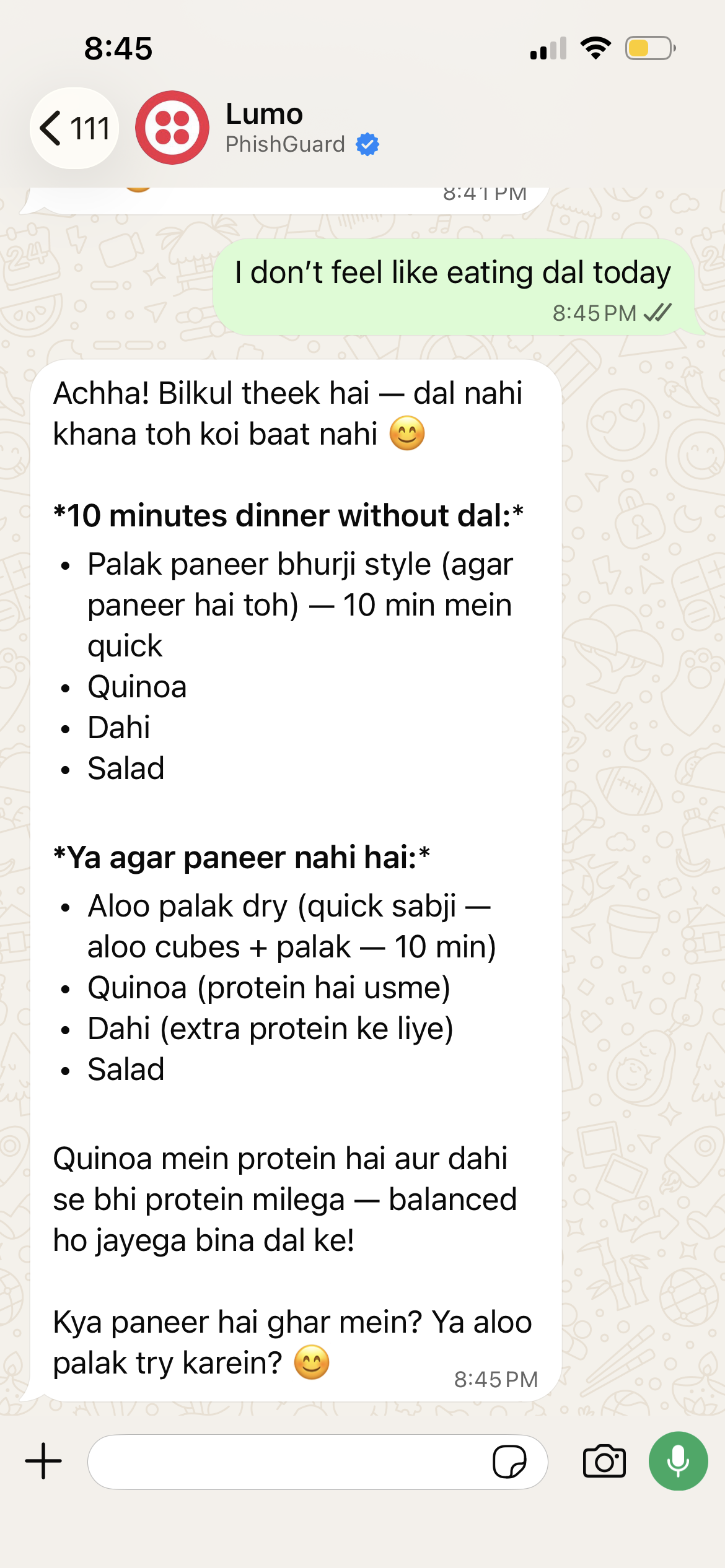
Conversation solved one problem and exposed three more.
I tested the working WhatsApp AI MVP with five people. Two in observed sessions and three independently. The testing surfaced three usability problems.
“Do I need to write everything?”
Typing out meals and ingredients was tiring.
“Too much text, I don’t feel like reading.”
Responses were too long
to act on.
“I don’t know if I can follow this diet?”
Recommendations asked for more than people could realistically do.
THE INSIGHT
I rewrote Lumo's behavioral guidelines in Cursor (lumo-guidelines-v2) around three rules.
01
One achievable improvement to an existing meal is the default.
02
Reuse stored context instead of asking again.
03
Photo input and quicker clarification, carried into the next interface.
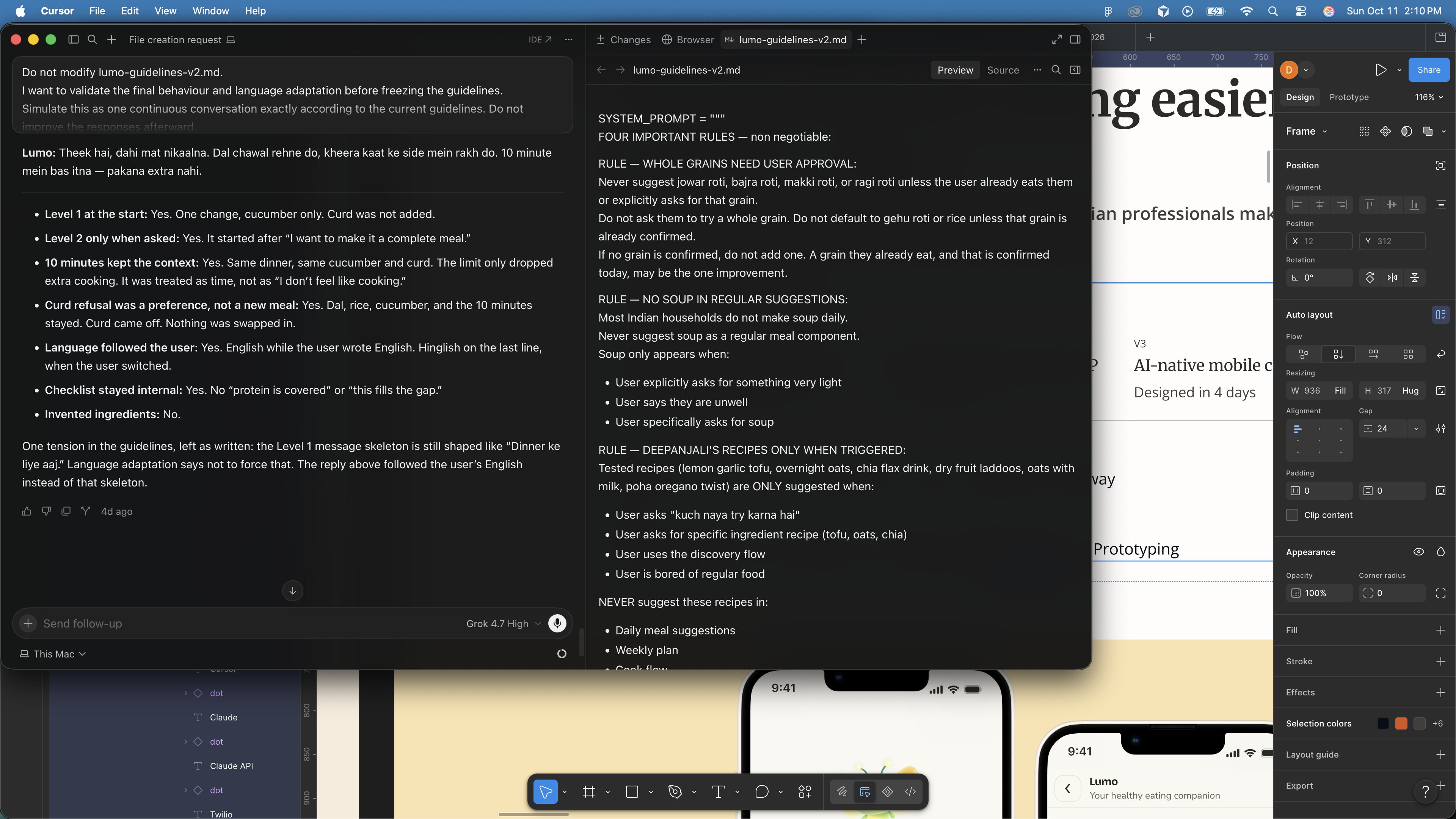
During AI exploration, an alternative was to recommend immediately from available ingredients.
AI PROPOSED
Recommend a recipe immediately from available ingredients, to cut down on questions
I DECIDED
Pogressive personalization. Use existing context, and ask only when a question materially improves the recommendation.
Why: speed matters, but a fast recommendation isn't useful if it ignores the person's context.
LUMO V3AI-NATIVE MOBILE
I used Claude to generate and critique interaction models, then designed the final experience in Figma. The central question: when should Lumo ask, and when should it recommend?
These three decisions shaped the experience:
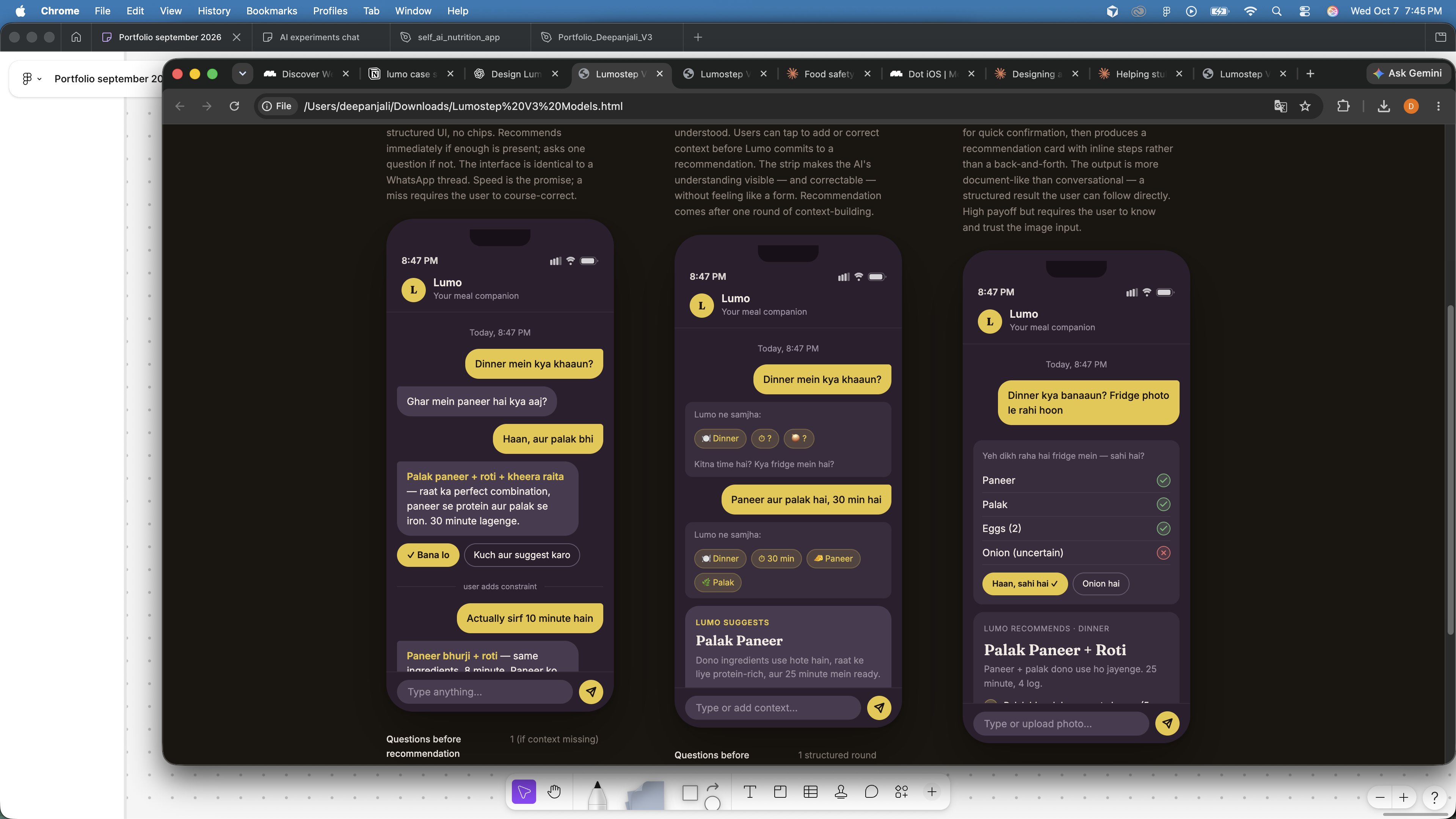
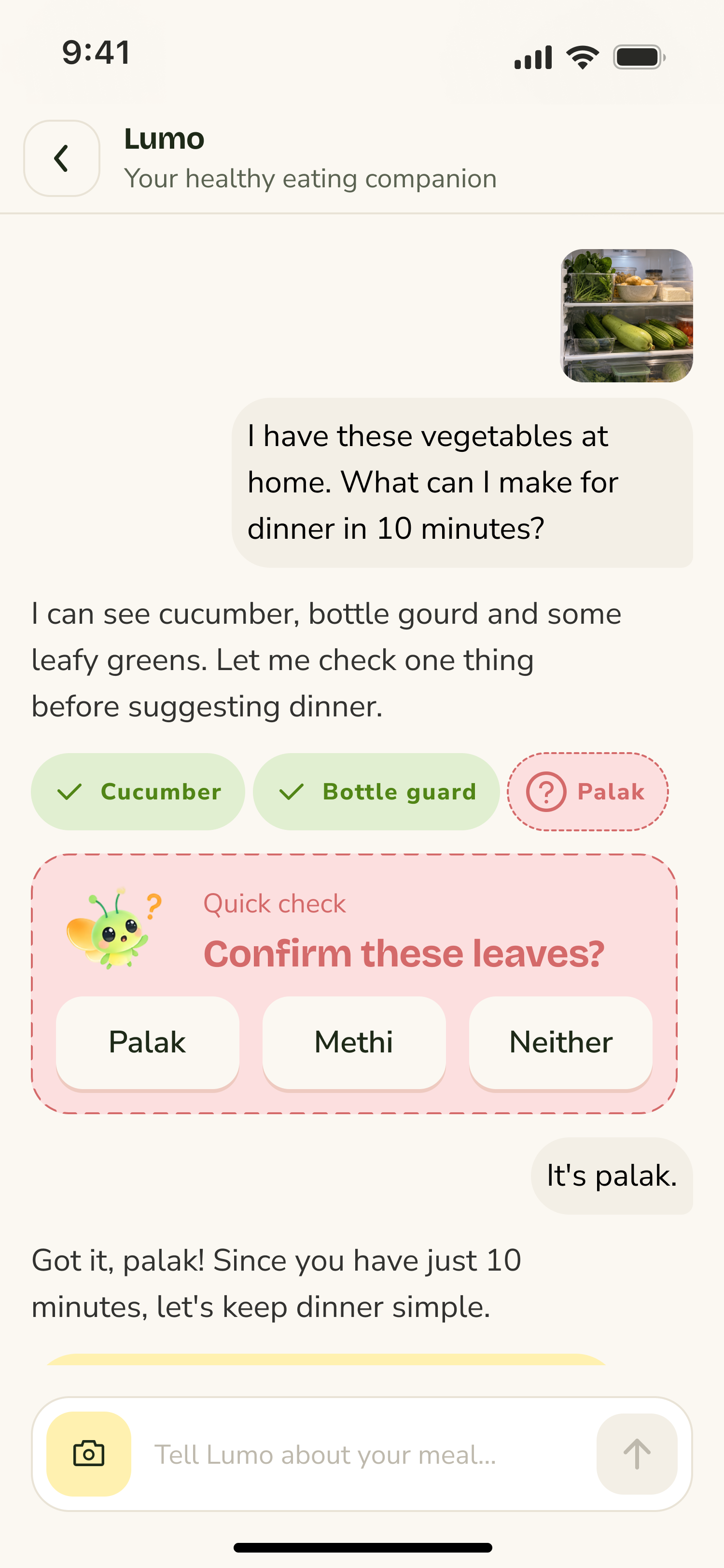
Combined the context strip with image input to reduce effort and make information easier to scan.
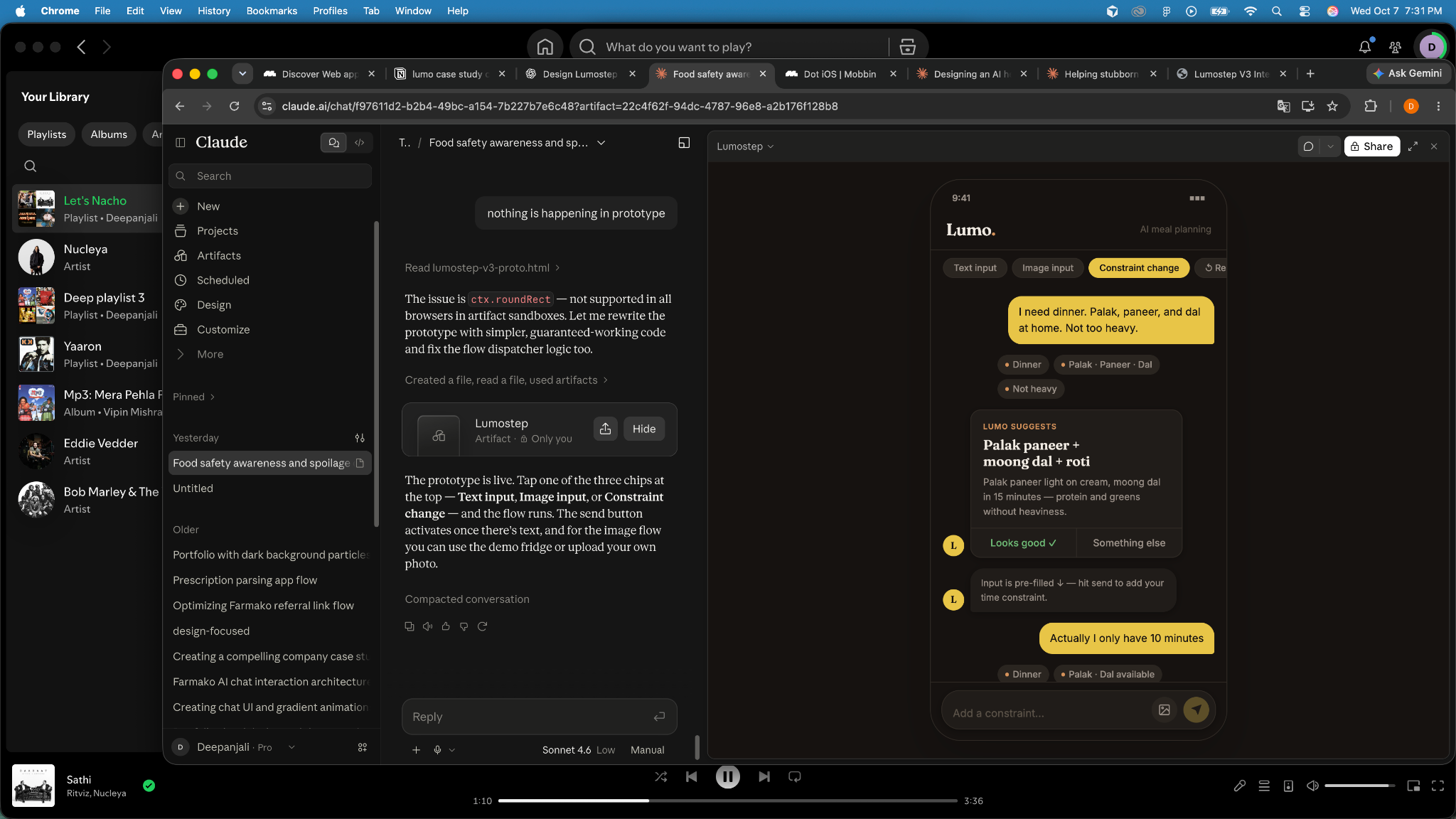
Moved context chips closer to the recommendation.
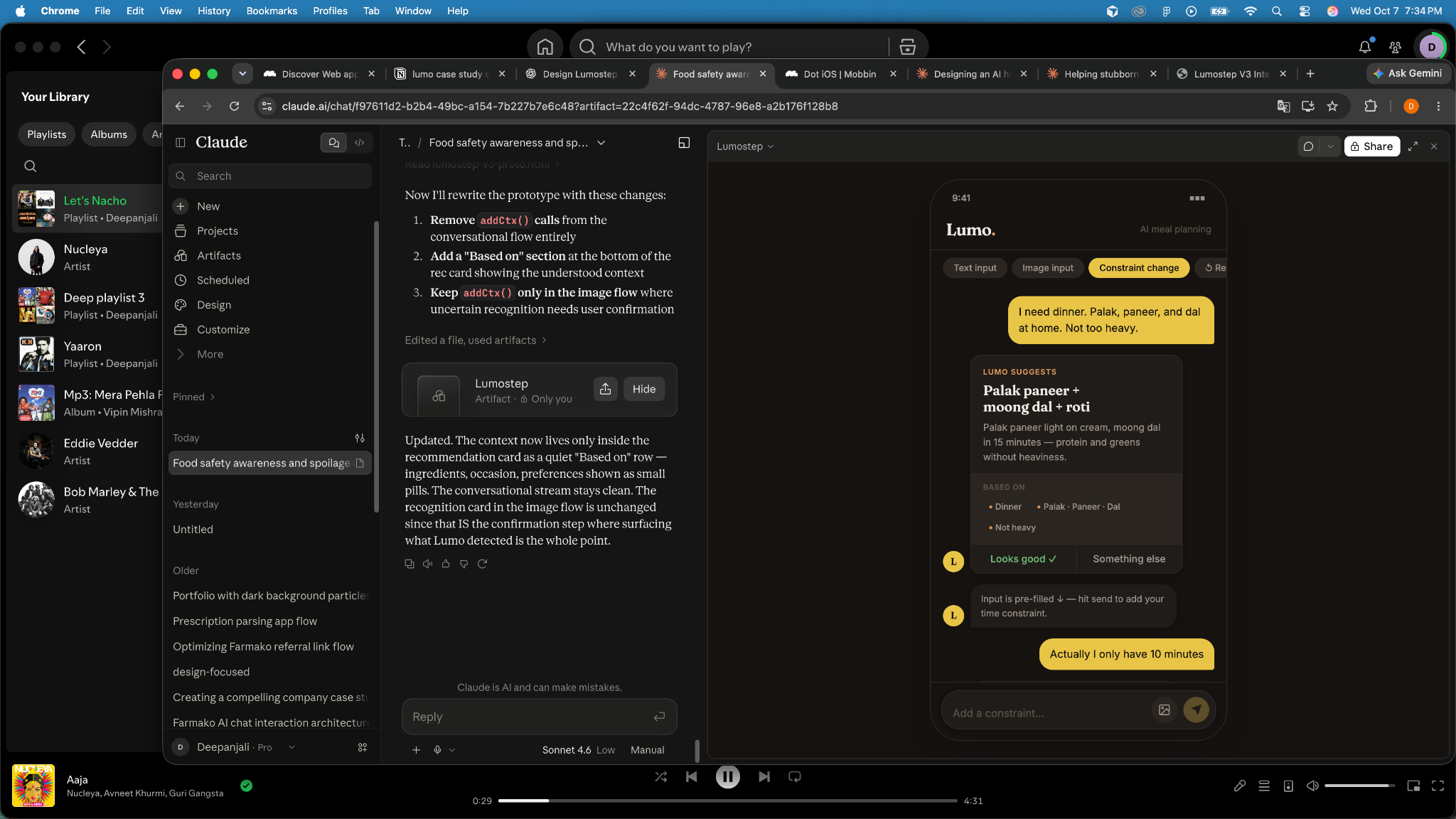
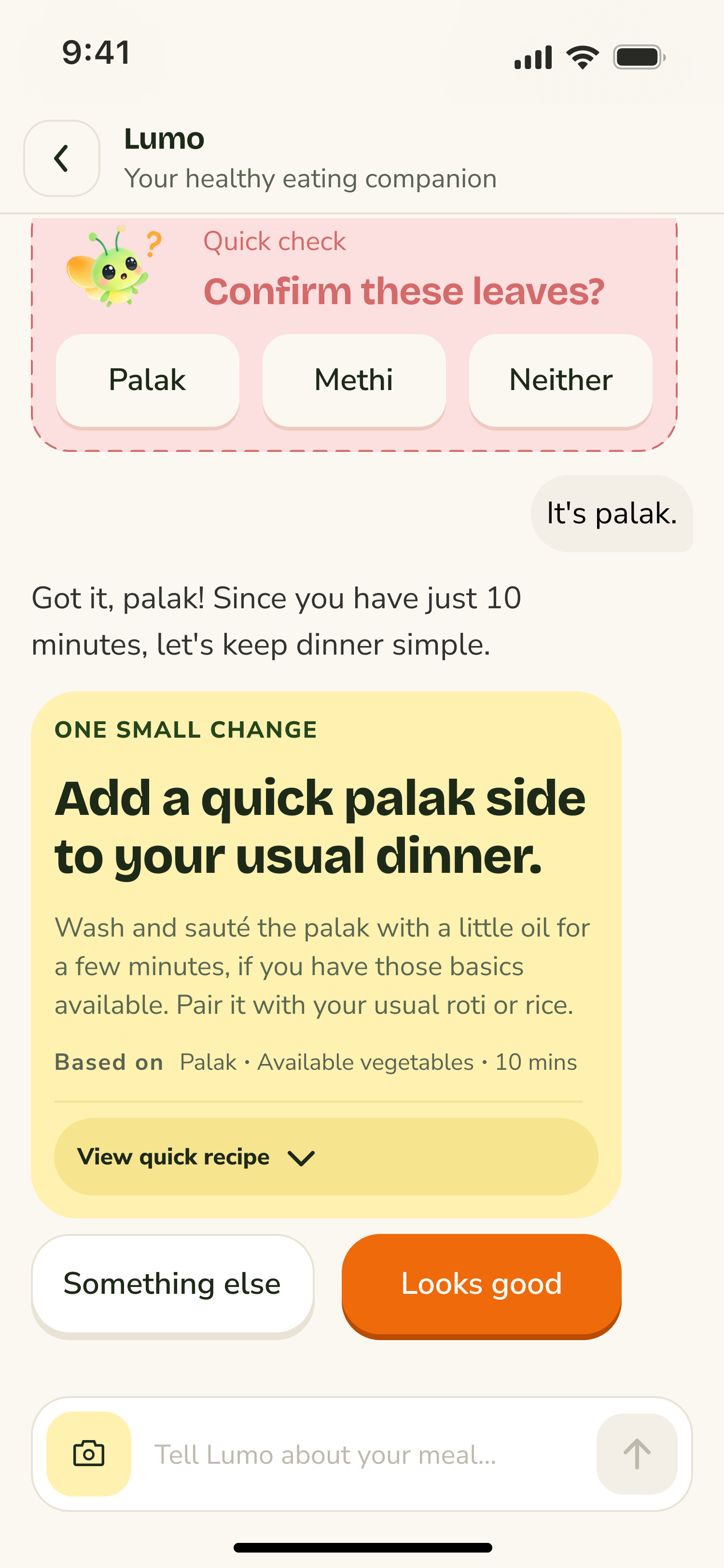
Placed context after the recommendation to make the AI's reasoning visible.
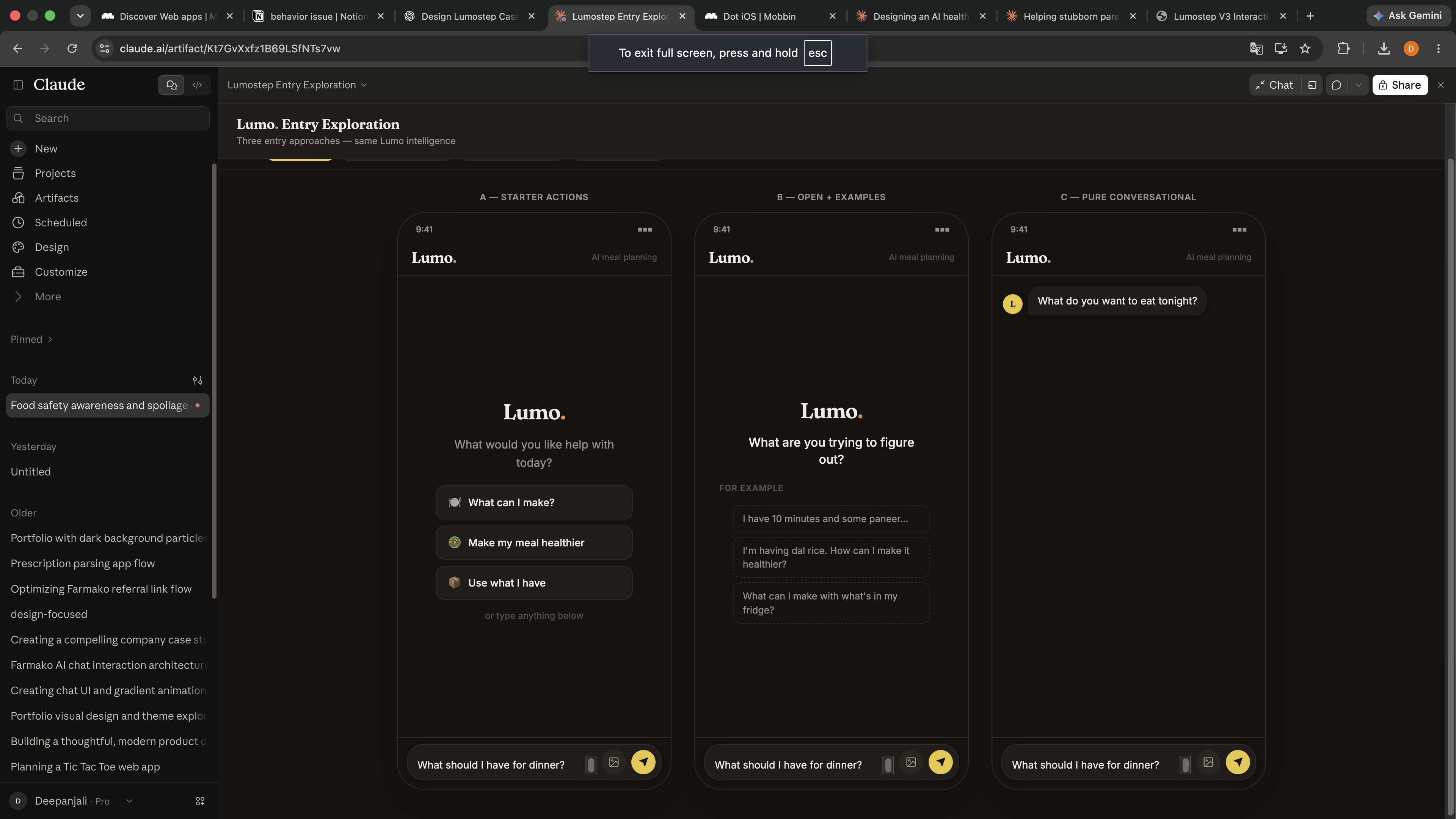
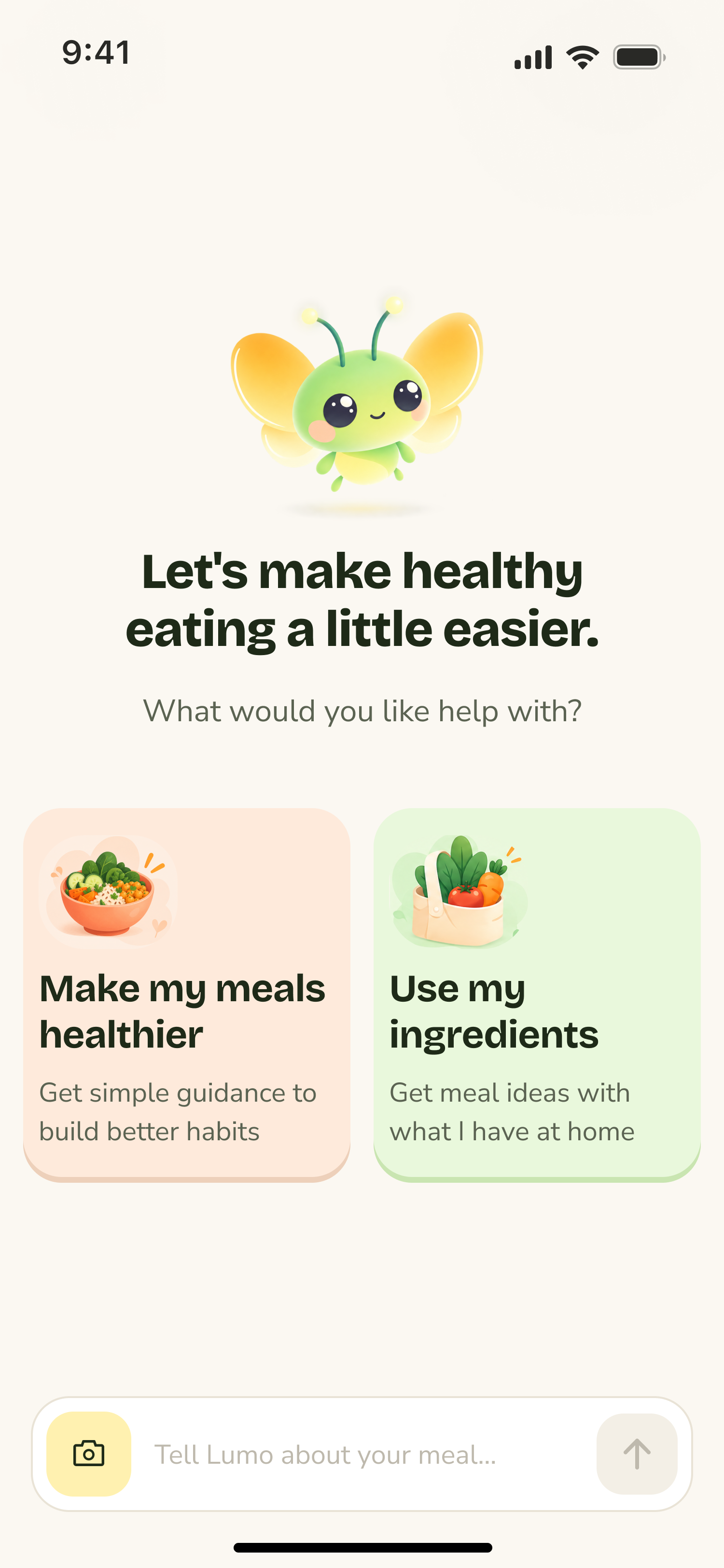
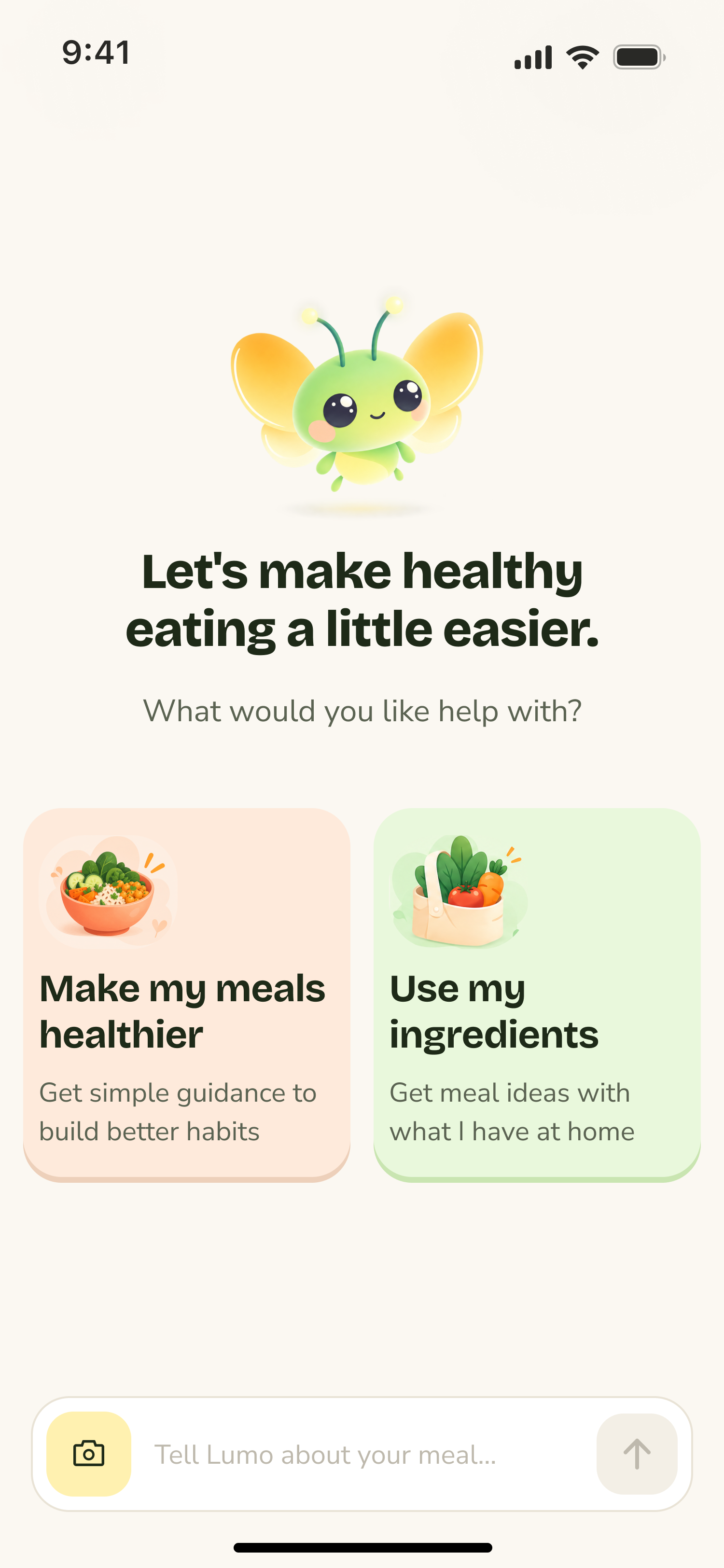
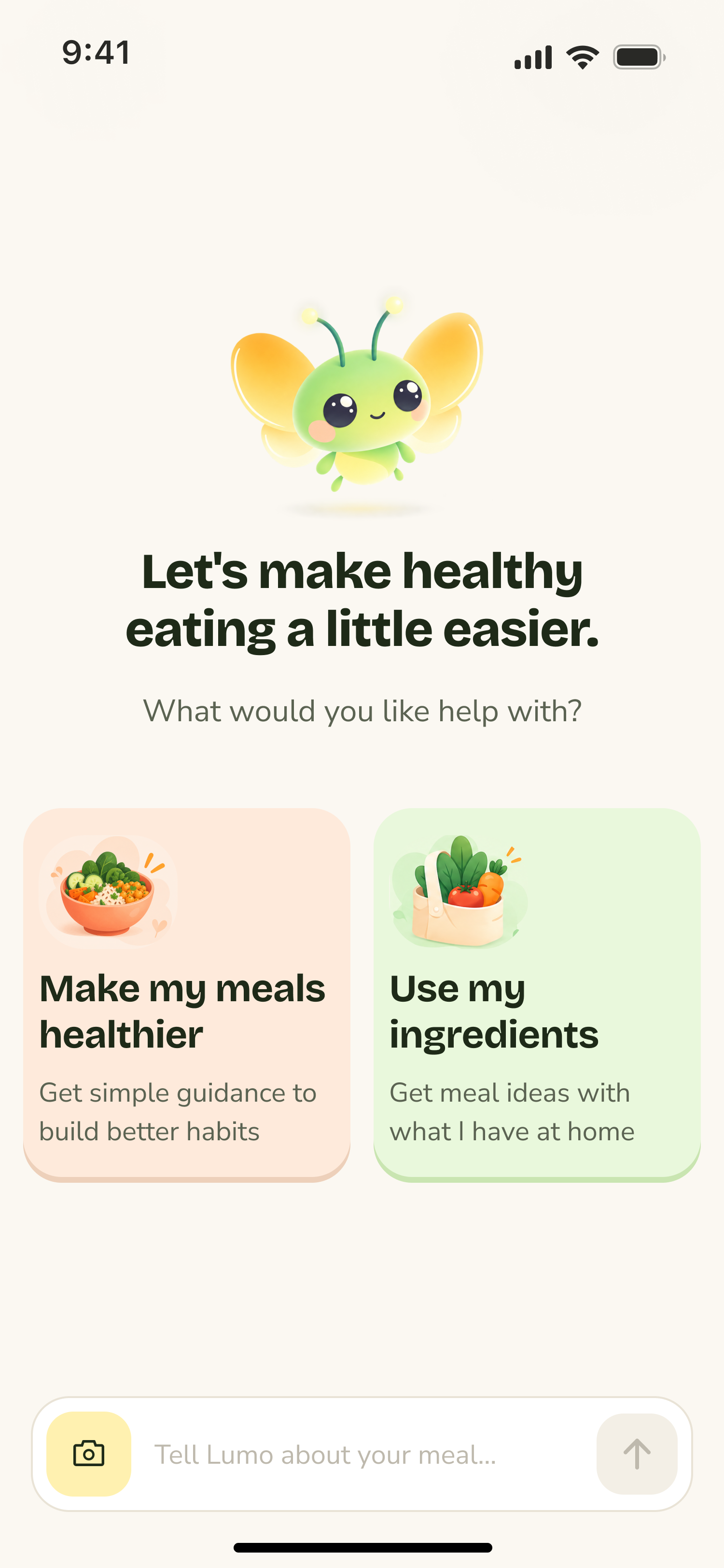
Explored three entry patterns to make Lumo's capabilities clearer. I chose two guided starting options so users could begin with either their meals or available ingredients.
V3KEY DESIGN DECISIONS
01
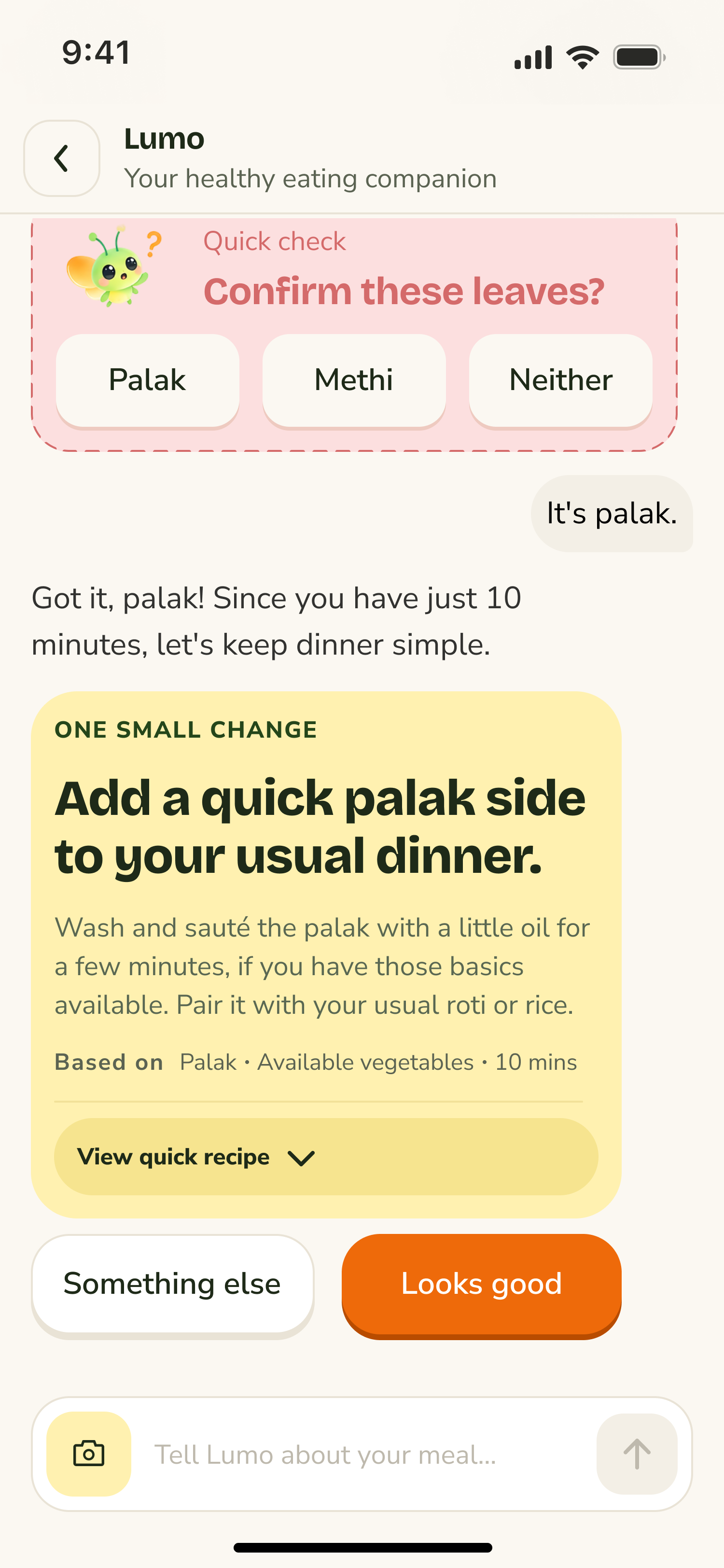
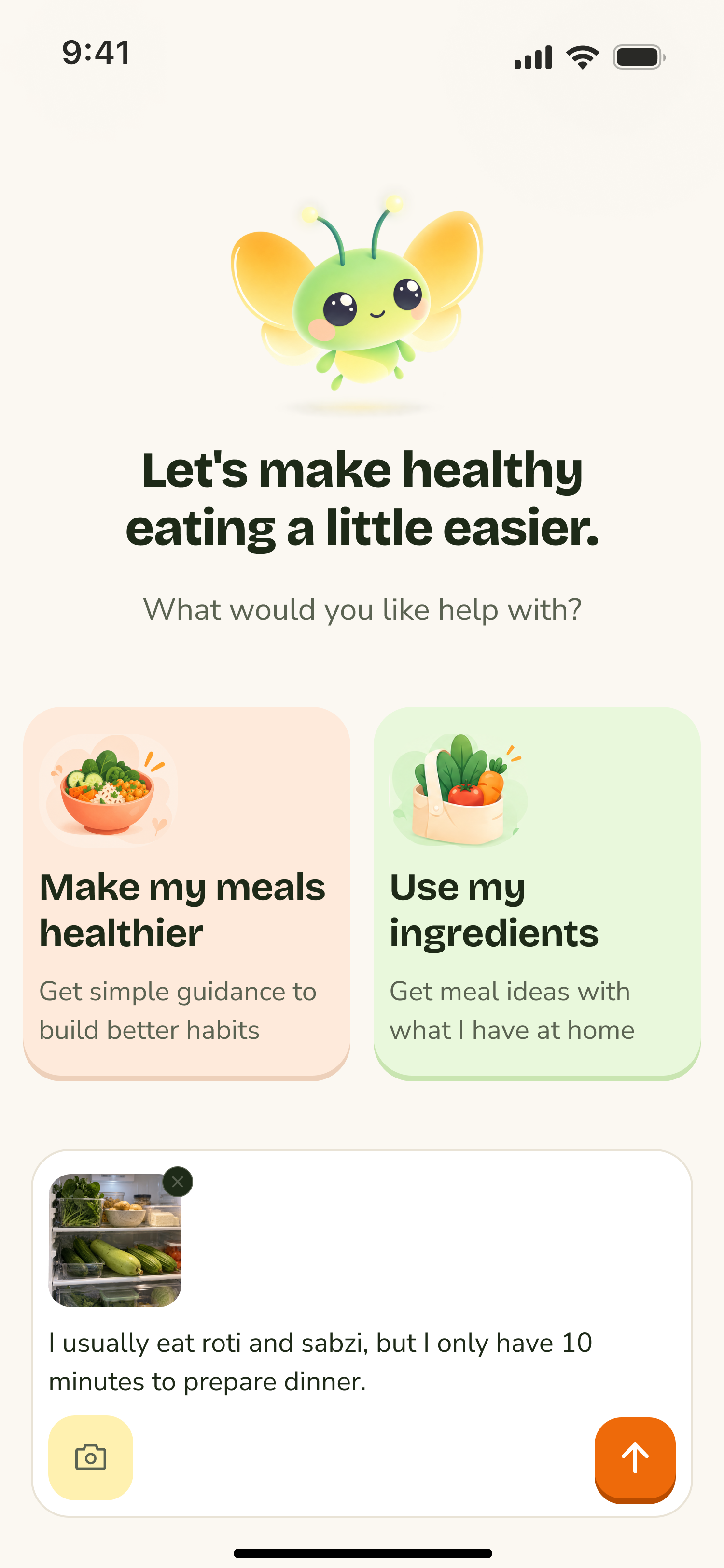
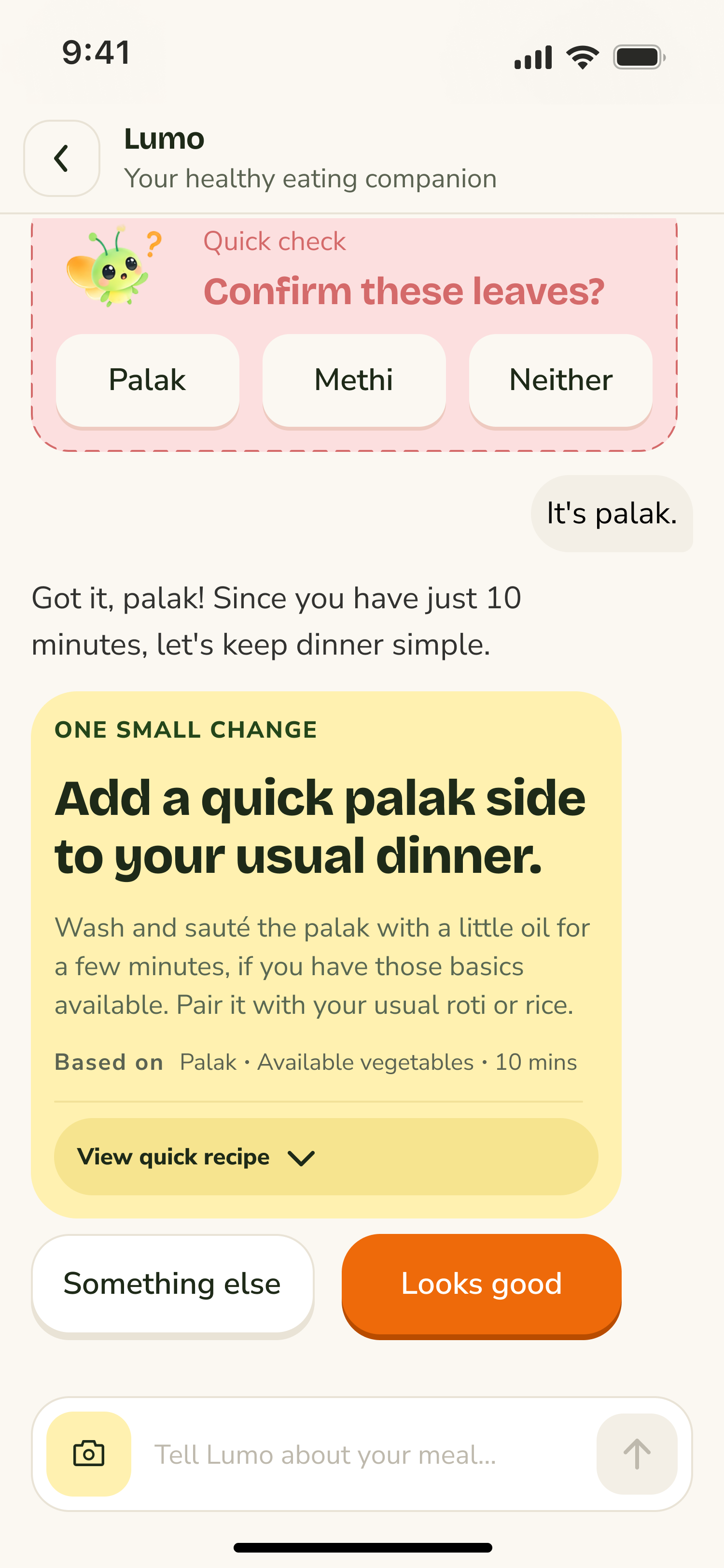
V2 testing revealed that describing ingredients through text took too much effort. I introduced photo input with quick clarification when Lumo couldn't confidently identify an ingredient.
02
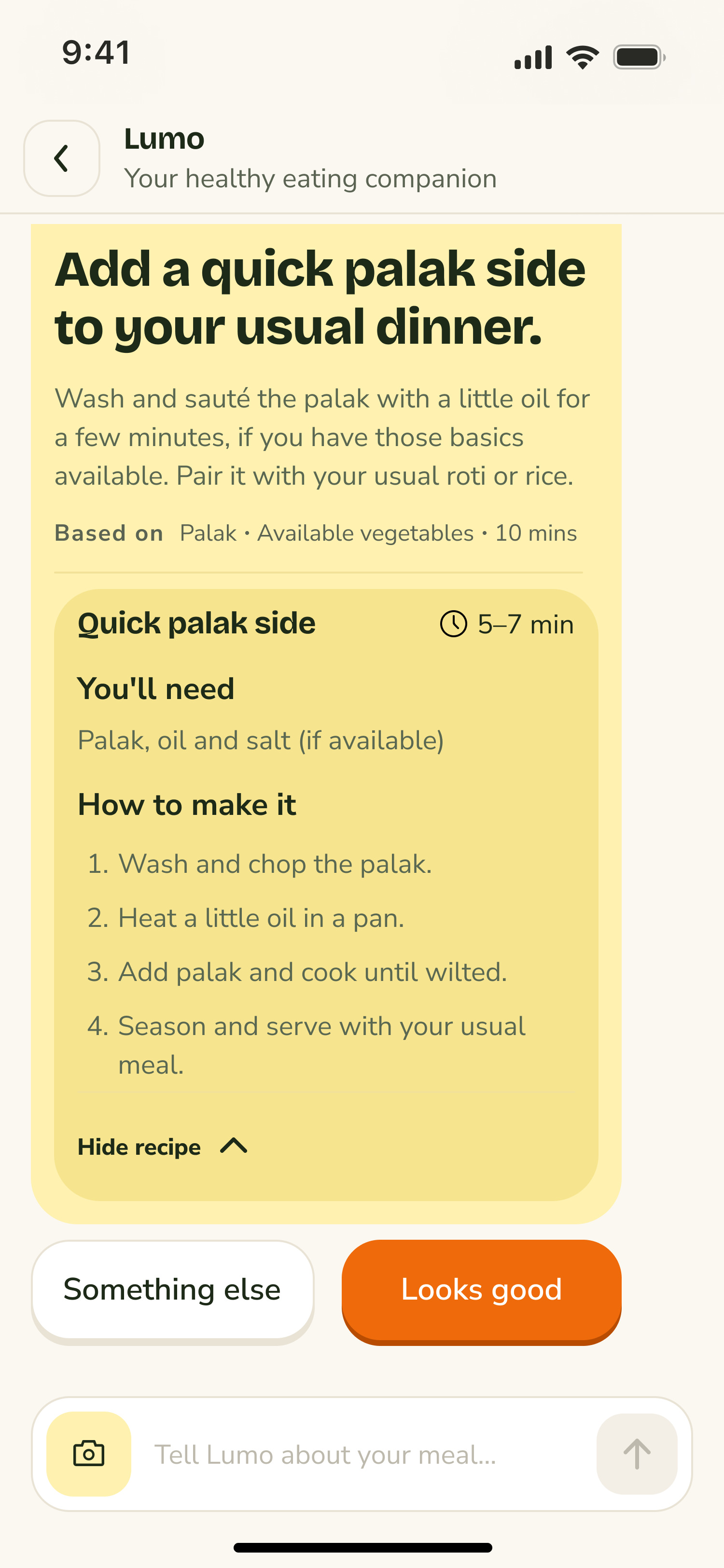
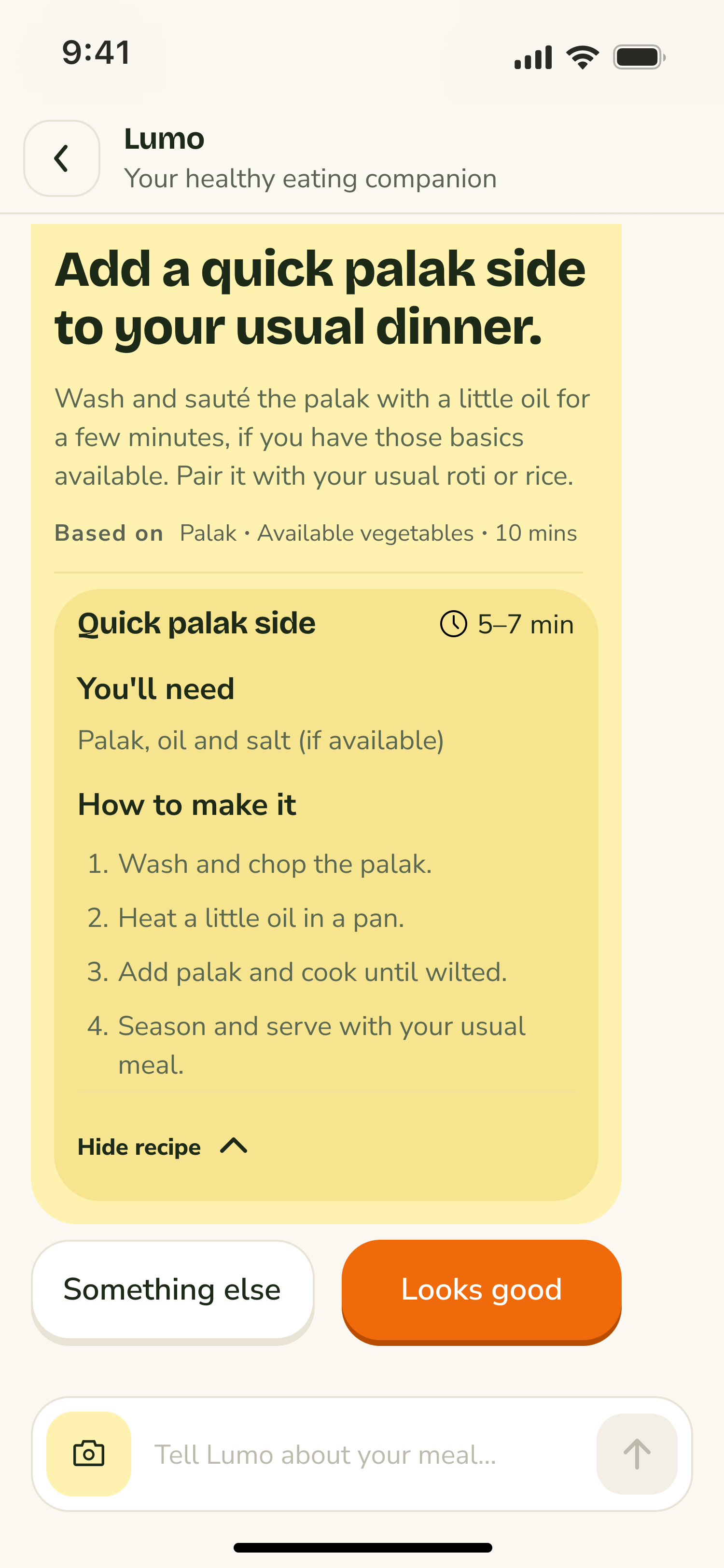
V2 testing showed that long responses were difficult to follow. I designed a recommendation card that shows one small change first, with recipe details available when needed.
REFLECTION
Working with AI taught me that generating options is easy; evaluating them against real user needs is where design judgment matters most.
01
AI helped explore possibilities, but I evaluated each direction against user needs and product constraints.
02
Testing real conversations revealed problems that polished interface explorations couldn’t expose.
03
V3 translates what I learned into a new interface, but user testing is still needed to validate those decisions.
WHAT’S NEXT
Test whether photo input reduces the effort of sharing ingredients, and whether focused clarification helps users reach useful, achievable recommendations with fewer steps.